
AI Photo Effects

Fun portraits

AI Graffiti Wall Photo

Photo doodles & stickers

AI Doodle on Photo

Journals & Creative Collage

AI Scrapbook Photo Collage

Magazines & Covers

AI Birthday Magazine Cover

Yarn & Clay Dolls

AI Crochet Doll Photo
Explore all effects →
Resources
PricingAPI Platform
AI Photo Effects/AI Crochet Doll Photo

Yarn & Clay Dolls

AI Crochet Doll Photo

Turn the main subject in a photo into a crochet doll. Six templates cover single-person dolls, couples, pets, and owner-pet portraits, plus a preview of a mini keychain hanging from a bag.

Upload a photo

Choose a style

Output settings

Aspect ratio

Purpose

Resolution

Sign in to see credits

Creation history

Recent creations for this effect

Your next creative photo starts here

Upload a photo and choose a style. Your generated images will appear here.

Explore the effect ↓

AI Crochet Doll Photo

Effect examples and creative inspiration

Start creating ↑
AI Crochet Doll Photo — Crochet Doll
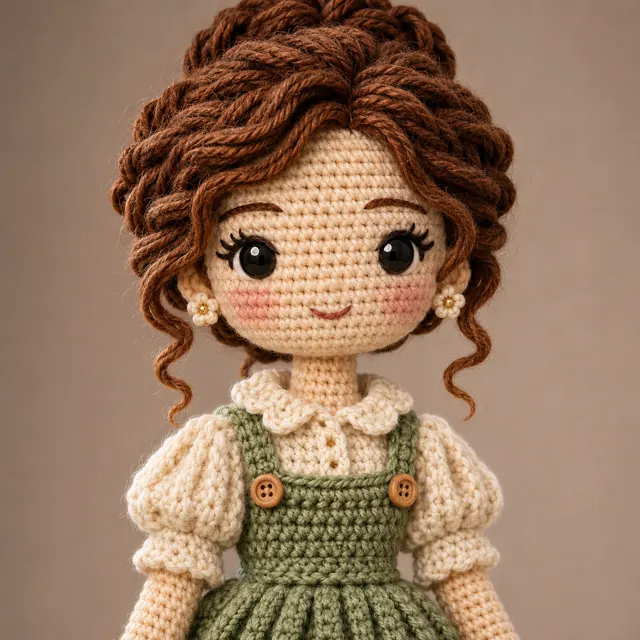
Crochet DollTight stitches in fine cotton outline collars and strands of hair. Choose a single-person photo with clear clothing so the doll keeps the glasses or hat you often wear.Start creating
AI Crochet Doll Photo — Cute Yarn Doll
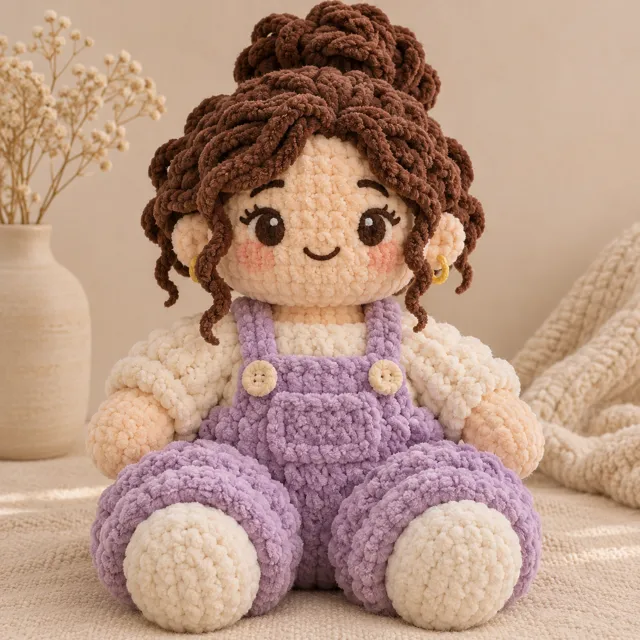
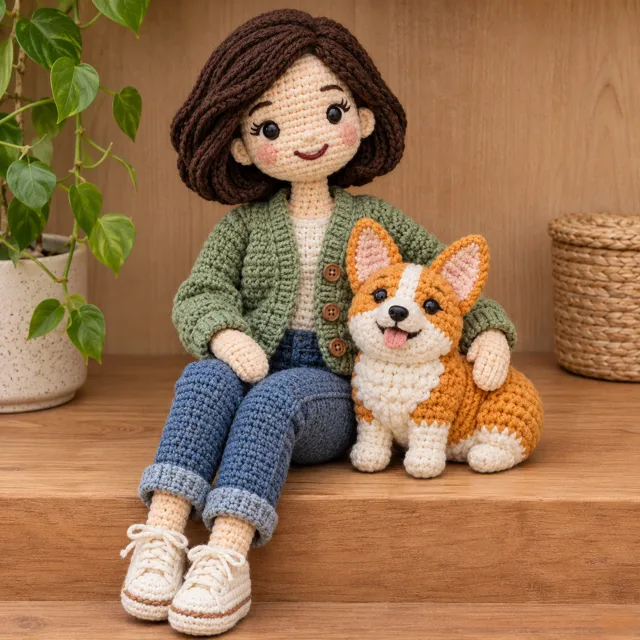
Cute Yarn DollChunky yarn, short arms and legs, and a round face suit a seated doll. A light background makes the fluffy yarn loops stand out.Start creating
AI Crochet Doll Photo — Yarn Couple
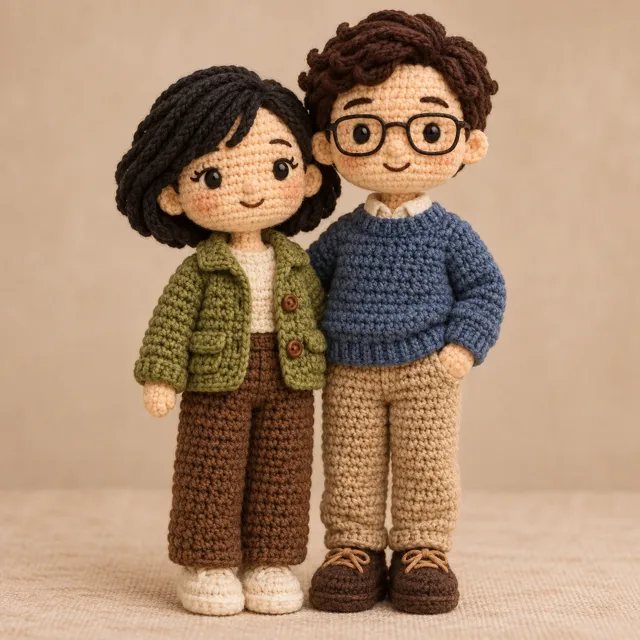
Yarn CoupleUse one photo of two people to make a pair of dolls. Choose a photo where both faces are clear, so hairstyles, clothes, and left-right positions each match.Start creating
AI Crochet Doll Photo — Yarn Pet
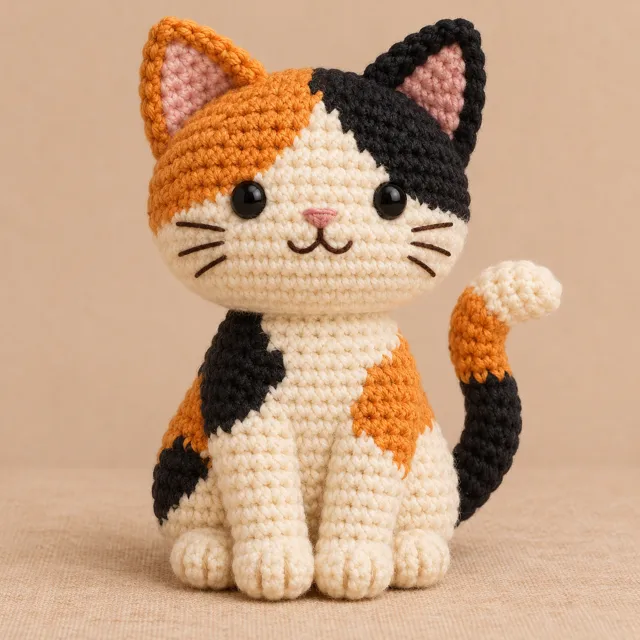
Yarn PetTurn a cat's or dog's markings into blocks of yarn color. Ear shape, facial patches, and tail are the details that make a small doll easiest to recognize.Start creating
AI Crochet Doll Photo — Yarn Keychain
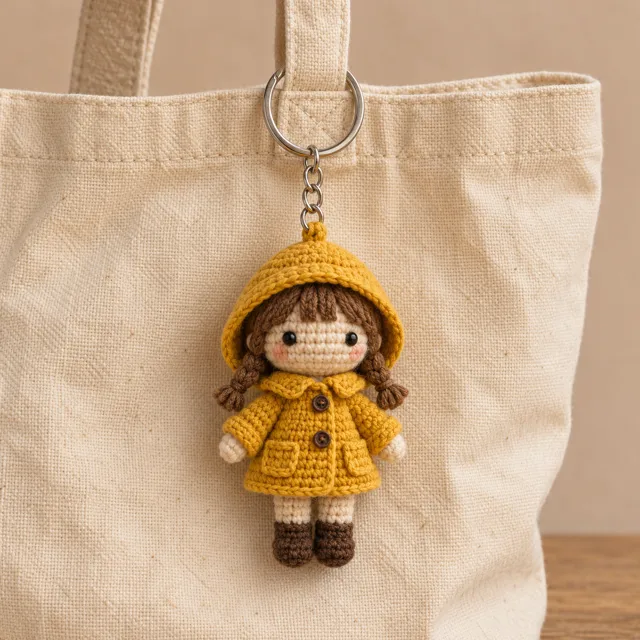
Yarn KeychainShrink a person or pet to bag-charm size, leaving a connecting thread, short chain, and metal ring at the top—great for previewing charm colors.Start creating
AI Crochet Doll Photo — Owner-Pet Portrait
Owner-Pet PortraitTurn a photo of you and your pet together into a pair of crochet dolls. Photos of you sitting side by side or gently resting a paw on you can both guide the pose and size ratio.Start creating

AI Crochet Doll Photo · Key features

Crochet Doll
01

Fine cotton or chunky yarn: which suits this photo better?

If you want to keep glasses, a shirt collar, or a striped scarf, choose Crochet Doll. Tight, small stitches leave room for those lines. If you want to emphasize face shape and overall color, choose Cute Yarn Doll. Chunky yarn turns small details into larger blocks of color, especially with short arms and legs and a seated pose.

Start creating →
Owner-Pet Portrait
02

Make both people in a couple photo easy to recognize

For a photo of two people, choose Yarn Couple; for a person and a cat or dog in the same frame, choose Owner-Pet Portrait. Leave space between the two faces and keep the edges of sleeves, paws, and ears clear. You can write 'gray cardigan, orange cat with a white chest on the right' to help distinguish clothing from pet markings.

Start creating →
Yarn Keychain
03

Leave the right space for avatars, keepsake photos, and bag charms

Square avatars suit a single doll; when cropping, leave a little space above the head and ear tips. For couples or owner-pet pairs side by side, a landscape frame gives both silhouettes more room. Keychains work best in portrait orientation, with room at the top for the metal ring, short chain, and the loop that connects to the doll.

Start creating →

AI Crochet Doll Photo · Step-by-step guide

  1. 01

    Upload a photo with a clear subject

    Choose a JPG, PNG, or WebP with even lighting. For a two-person or owner-pet piece, use one photo with both subjects and keep both faces and body outlines visible.

  2. 02

    Compare examples from the six templates

    First look at stitch size, number of subjects, and pose in the examples. Click an example you like to return to the creation area with that template selected.

  3. 03

    Specify the features to keep

    In the additional notes, write two or three key details, such as 'keep the white tail tip and red collar.' Set aspect ratio and resolution based on whether the image is for an avatar, a group portrait, or a bag charm.

  4. 04

    Check details and download

    Open the finished image in your creation history. Check the face, the left-right placement of markings, and whether the hanging loop is complete, then download the version you like.

Photo to Crochet Doll: Prompt Examples for Six Scenarios

Start with a template to set the doll's look, then write the details you want to keep in the additional notes. Each example below matches one template; just swap the colors, clothing, and pose for the features in your own photo.

Crochet Doll from a Graduation Photo

The tassel on the mortarboard and the trim on the gown are the easiest details to recognize. Leave space above the cap when uploading; people in the background can be cropped out.

Keep the gold cap tassel and blue trim, crochet the gown sleeves in fine cotton, have the doll hold a rolled diploma, and use a light gray background.

Turn a Seated Photo into a Yarn Avatar

A round-faced doll has a small facial area, so the hair outline is usually easier to preserve than small text on clothing.

Use cream-colored chunky yarn for the sweater, and keep the straight bangs and red hair clip. Have the doll sit cross-legged, with the eyes embroidered in dark brown yarn.

Wedding Photo as a Two-Doll Keepsake

Pick a photo where neither person's profile is hidden by the bouquet. When describing boutonnieres, veils, or collars, state clearly which person each one belongs to.

The doll on the left wears an ivory wedding dress and holds a pale purple bouquet; the doll on the right wears a dark blue suit with a matching boutonniere. Place them side by side and keep the full veil.

Weave Pet Markings into Color Blocks

First choose the one or two most distinctive markings. Describing locations as 'left side of the photo' can reduce left/right ear ambiguity in front-facing photos.

Make the ear on the left side of the photo black, keep the white spot on the nose tip and the orange ring markings on the tail. Use a beige fabric surface to set off all four paws.

Preview a Yarn Charm on a Canvas Bag

To see how the charm would look in real use, you can specify the bag surface and yarn colors. A dark bag with a light-colored doll makes the outline easier to recognize.

Turn the cat in the photo into a palm-sized charm, keeping the white chest and green collar. Connect it to a dark blue canvas bag with a short silver chain, and show the entire ring.

Keep the Little Gesture Between Owner and Pet

A hand resting on a dog's back or a cat leaning against a knee both work as composition cues. Let the palm and paw each peek out at the edge.

Keep the pose of me sitting on a wooden stool with the small dog leaning against my left knee. Make the cardigan sage green, the dog's ears caramel, and leave the chest white.

AI Crochet Doll Photo · Frequently asked questions

How many photos do I need to upload for the couple template?

Upload one photo that includes both people. Choose an image where both faces are clear and clothing is easy to tell apart, so each doll keeps its own features.

How can I keep a pet's unique markings?

Choose a photo with even lighting and no obstructions over the ears or face. In the additional notes, describe where the markings are, for example: 'left ear is black; one white stripe on the nose bridge.'

Can the generated image be used as a crochet pattern?

The result is a visual reference for the doll's appearance; it can be used to discuss color, proportions, and charm design. Actual crocheting still requires separately designing stitch counts, rounds, and assembly steps.

For an owner-pet portrait, can I upload a portrait and a pet photo separately?

Upload one reference image at a time. Choose a photo with both you and your pet in the frame; if your pet is in your arms, try to keep both eyes, ears, and front paws visible.

How do I make the keychain template look like a real bag charm?

Use a photo with a simple outline. In the notes, you can specify the bag surface color or the metal ring color. A portrait composition leaves room for the chain and makes the connection between the ring and the crochet doll clearly visible.

More photo effects