AI Photo Effects

Fun portraits

AI Graffiti Wall Photo

Photo doodles & stickers

AI Doodle on Photo

Journals & Creative Collage

AI Scrapbook Photo Collage

Magazines & Covers

AI Birthday Magazine Cover

Yarn & Clay Dolls

AI Crochet Doll Photo
Explore all effects →
Resources
PricingAPI Platform
AI Photo Effects/AI Scrapbook Photo Collage

Journals & Creative Collage

AI Scrapbook Photo Collage

Upload one photo and choose a scrapbook template. Turn travel scenery into postcards, paste a date photo into a memory page, or use torn paper and tape to record an ordinary day.

Upload a photo

Choose a style

Output settings

Aspect ratio

Purpose

Resolution

Sign in to see credits

Creation history

Recent creations for this effect

Your next creative photo starts here

Upload a photo and choose a style. Your generated images will appear here.

Explore the effect ↓

AI Scrapbook Photo Collage

Effect examples and creative inspiration

Start creating ↑
Travel Scrapbook

Travel Scrapbook

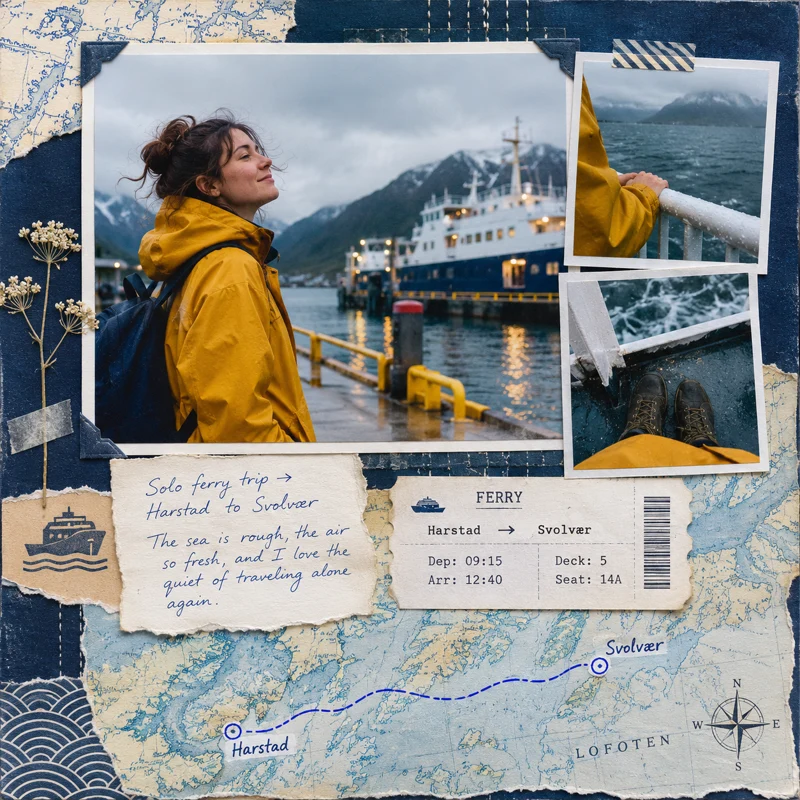
The yellow raincoat is the focal point of the harbor travel page. Detail shots of the ship's rail and the sea sit on the right side of the main image, while a ferry ticket stub and a hand-drawn route connect the top and bottom.

Use this template →

Girly Sticker Scrapbook

Girly Sticker Scrapbook

A portrait at a cherry soda shop is paired with pink gingham and bows, and the cherry in the cup echoes the stickers around it. Pick a small item with a bright color to give the portrait and decorations a shared theme.

Use this template →
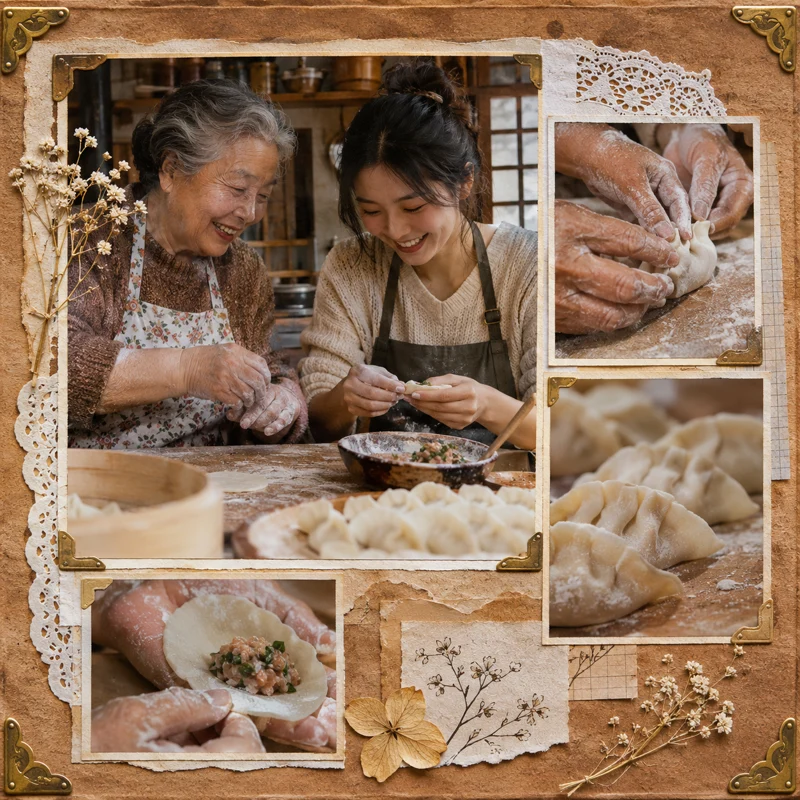
Vintage Kraft Paper

Vintage Kraft Paper

Next to a photo of a grandmother and grandchild making dumplings, several small photos show the dough being kneaded, the filling being wrapped, and the finished dumplings. Kraft paper, lace trim, and old photo corners turn an everyday kitchen moment into a family recipe memory page.

Use this template →
Couple's Memory Scrapbook

Couple's Memory Scrapbook

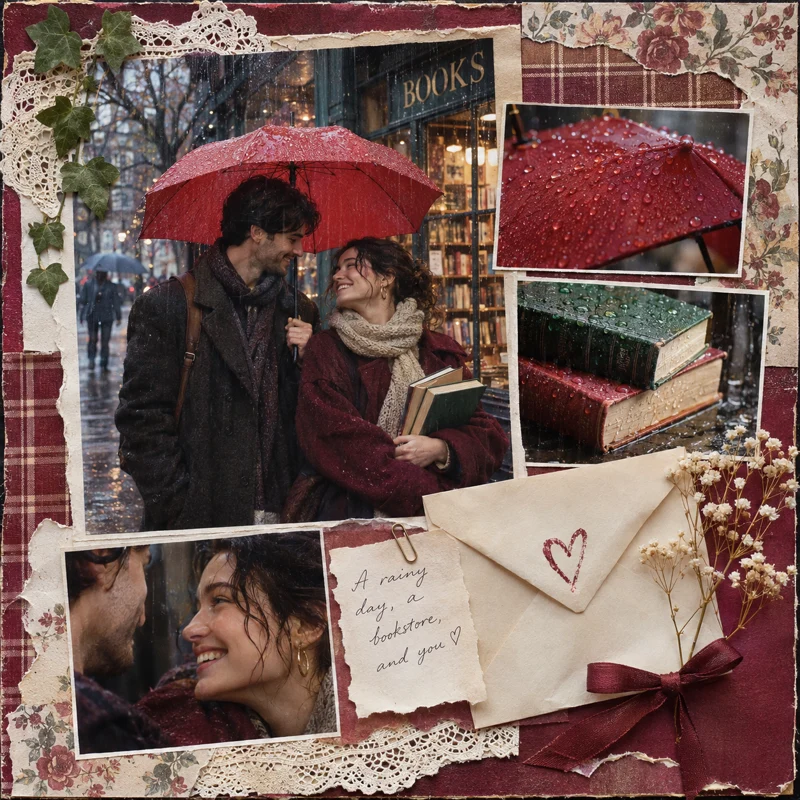
A rainy-day bookstore date uses a photo of the couple under a red umbrella as the main image, while close-ups of book spines and the umbrella fabric keep the day's details. A small envelope in the bottom right corner leaves room for a short commemorative note.

Use this template →
Torn-Paper Tape Collage

Torn-Paper Tape Collage

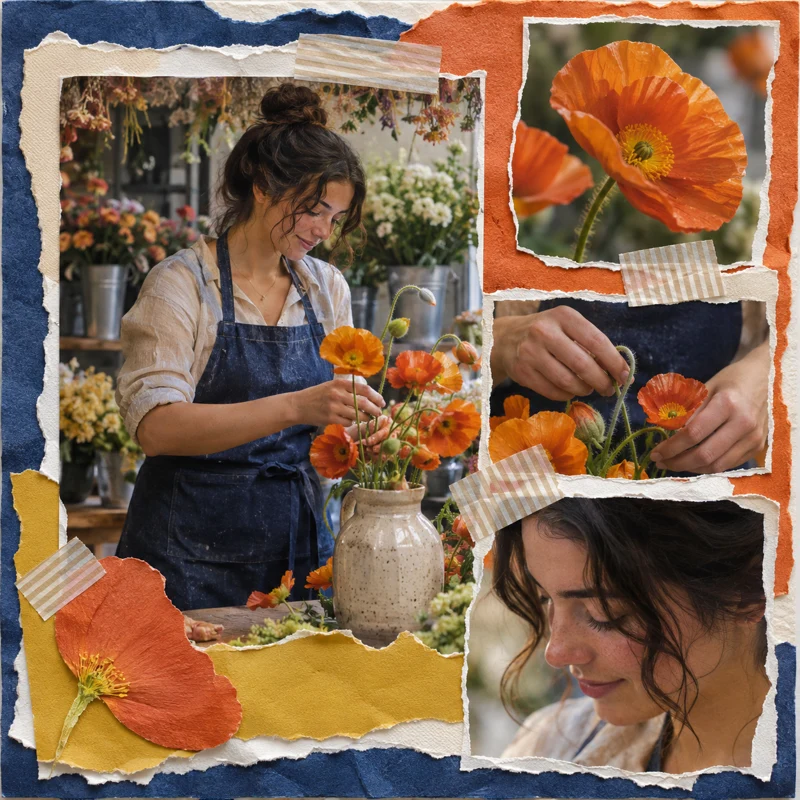
Next to the main image of a florist arranging an orange bouquet, petals, hands, and a side profile are cropped into small pieces. Torn paper edges interlace with striped tape, and the orange paper surface echoes the flowers.

Use this template →
Monthly Polaroid Scrapbook

Monthly Polaroid Scrapbook

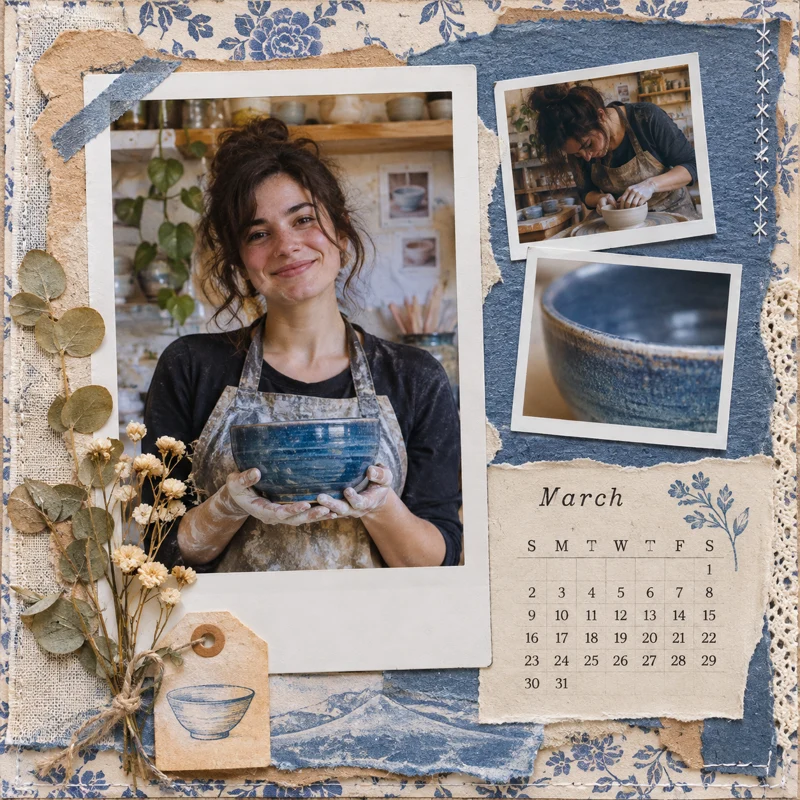
A photo of a ceramic artist holding a blue-glazed bowl is placed in a white-bordered frame, with process shots and a close-up of the bowl's rim nearby. A March calendar and dried flowers bring a studio record into a monthly scrapbook.

Use this template →

AI Scrapbook Photo Collage · Key features

01

Let one photo tell more of the story

Start with a photo that has both a subject and a setting. For example, a street group photo with people, a street sign, and buildings lets you use the group photo as the main image and crop the street sign into a small cutout so viewers can see where the story took place.

Start creating →

AI Scrapbook Photo Collage · Step-by-step guide

  1. 01

    Upload one photo

    Choose a clear original image and leave a little space around the people and surroundings.

  2. 02

    Pick a template

    Choose a layout by paper, frame, and sticker effects.

  3. 03

    Set up the image

    Choose an aspect ratio, and add a note about the main color or details you want to highlight.

  4. 04

    Save the scrapbook

    When generation is complete, download the finished piece from your creation history.

AI Scrapbook Photo Collage · Frequently asked questions

Can I upload multiple travel photos?

Upload one photo at a time. If you want to show both people and scenery, choose an environmental group photo and use the same scene for the main image and detail crops.

Which image formats are supported?

JPG, PNG, and WebP are supported, up to 20 MB per image.

What is the difference between vintage kraft paper and torn-paper tape?

Kraft paper uses a warm brown background and photo corners to frame the main image; torn-paper tape uses irregular paper edges and clear tape to build more layers.

Which aspect ratio works best for couple photos?

For side-by-side photos, choose landscape 3:2. For a memory page for your phone, choose 4:5 and add a note asking for both faces to be fully in frame.

How do I add a date or short title?

Write the text and placement in the additional notes, for example, “Write May by the Sea on the sticky note in the bottom right corner.” Check the text at full size before downloading.

Where can I download the scrapbook?

Open your creation history, find the completed collage, and click download to save it.

More photo effects